"Is it not a pleasure, having learned something, to try it out at due intervals?"
"学而时习之、不亦说乎"— The Analects, Confucius
A Foray into Front-end
I'm not a front-end programmer by training or trade, so it was quite the learning curve to figure out how to put this website together. Here's some things I've learned along the way. Apologies in advance to any professional web developers whose craft I've butchered, any ideas for improvement and correction are most welcome.
Process
I did not use AI at all: I really wanted to get into the details
myself so I would understand everything I'm putting into the page.
Of course, I don't have a point of comparison (I can't forget
everything and go vibe code this page), but I do feel
that I've picked up a lot that I would have missed had I not gone
through the documentation myself. For example, in HTML there
are two ways to italicize text: with
<i></i> and
<em></em>.
What is the difference?
<i></i> is the italics
tag. It is to be used when italics are needed for style and
for no other reason. Which means it's not
appropriate to use this tag to convey emphasis, which is a
semantic (not stylistic) choice. For that one should use
the emphasis tag
<em></em>. This matters for screen
readers as they rely on these tags to figure out how words
should be stressed (this idea comes up repeatedly in the
Mozilla
HTML docs). The same is true of
<b></b> vs.
<strong></strong> for bold text.
The difference between styling and semantics (indeed, the
fact that they are even treated differently at all) is
directly related to Tim Berners-Lee's idea of the semantic
web.
In a similar vein, I did not use any frameworks, instead opting to write all the HTML and CSS myself. I'm hoping the advantage will be that I'll have an easier time maintaining this website, and therefore be more likely to keep it up to date, if I'm familiar with all its components. I've tried frameworks like Hugo in the past, but it was just a very frustrating experience when I couldn't get it to do exactly what I wanted.
In the past I've tried using pandocto convert
markdown files to HTML, but found that I wanted finer
control over the layout than what pandoc could
easily do. I had to either write my own filters or give up
and put HTML in the markdown anyway, so I figured I might
as well do all the HTML myself.
A Digression on AI
I wouldn't have necessarily missed out on such details as italics vs emphasis had I relied more (at all) on AI. However that may have led to other problems, as the following conversation shows.
ChatGPT does in fact know about distinction between italic and emphasis and mentions the screen reader use-case up front:
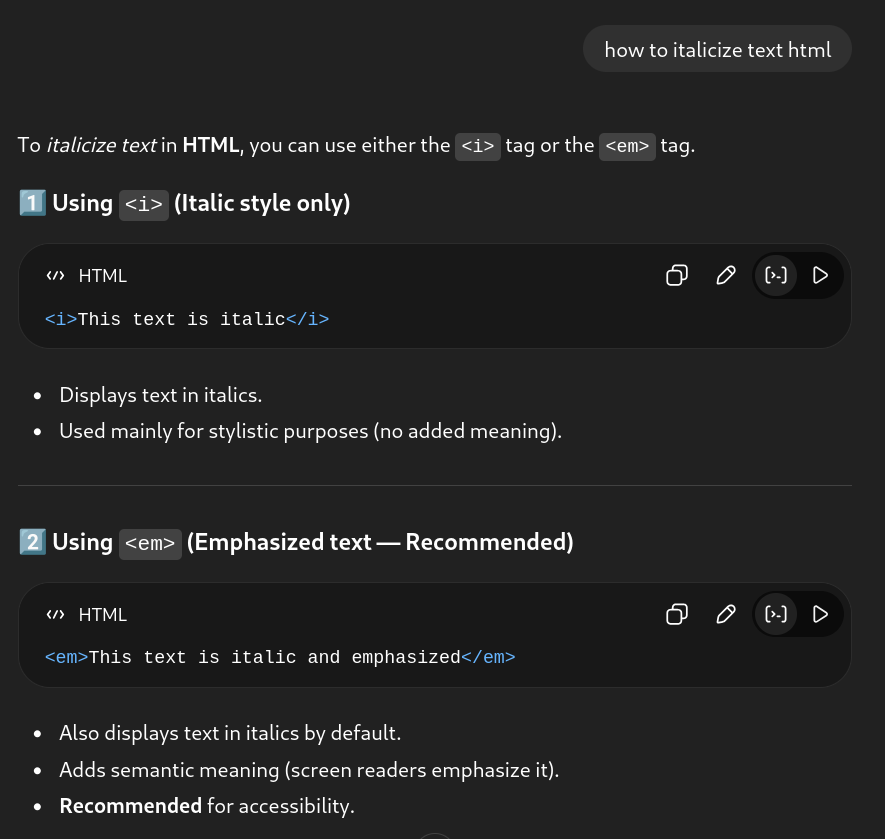
Though it muddies the waters by claiming
<em></em> is "recommended", even
though, as far as the Mozilla documentation goes, they are
to be used for different purposes.
Even more interestingly, it suggests a third way: to create a new CSS class for italicization, going as far as to claim it to be the "best modern practice".
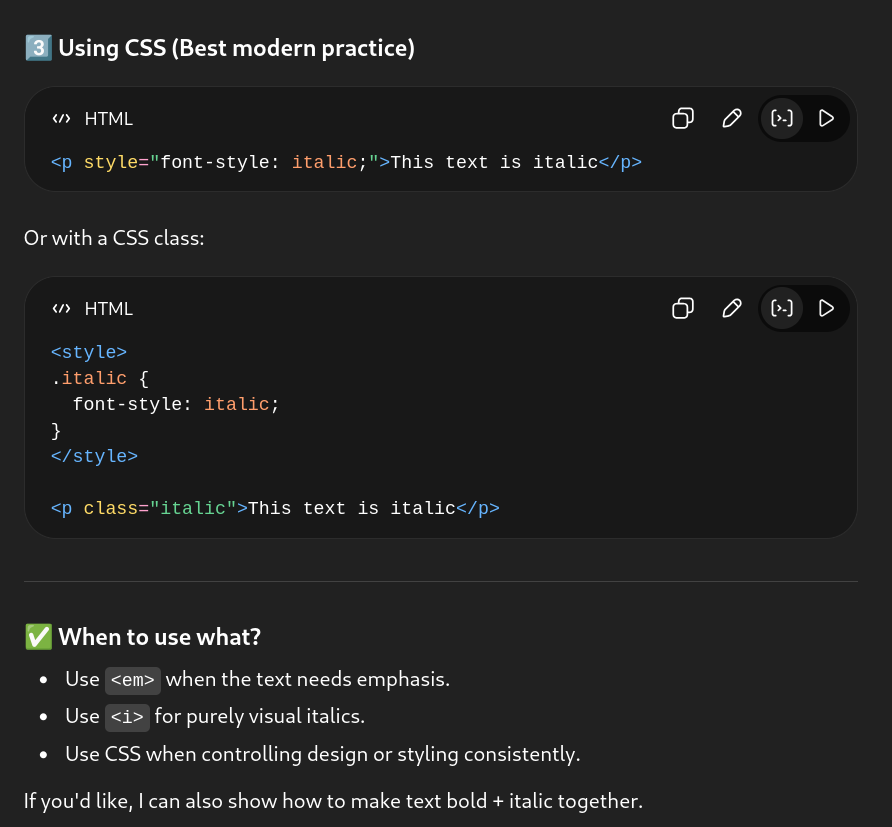
I don't know enough about HTML/CSS to know for a fact that
this is a bad idea, but I have a hard time imagining why
this third way would ever be appropriate. Why define a
whole new CSS class just to achieve what already-existing
HTML tags can accomplish? If you have a special type of
paragraph that needs to be italicized in its entirety,
surely it would be better to give the class a name that
describes what it's meant to represent, like
footnote or emphasis-paragraph.
A follow-up question has ChatGPT giving the justification that it's best to separate styling and content:
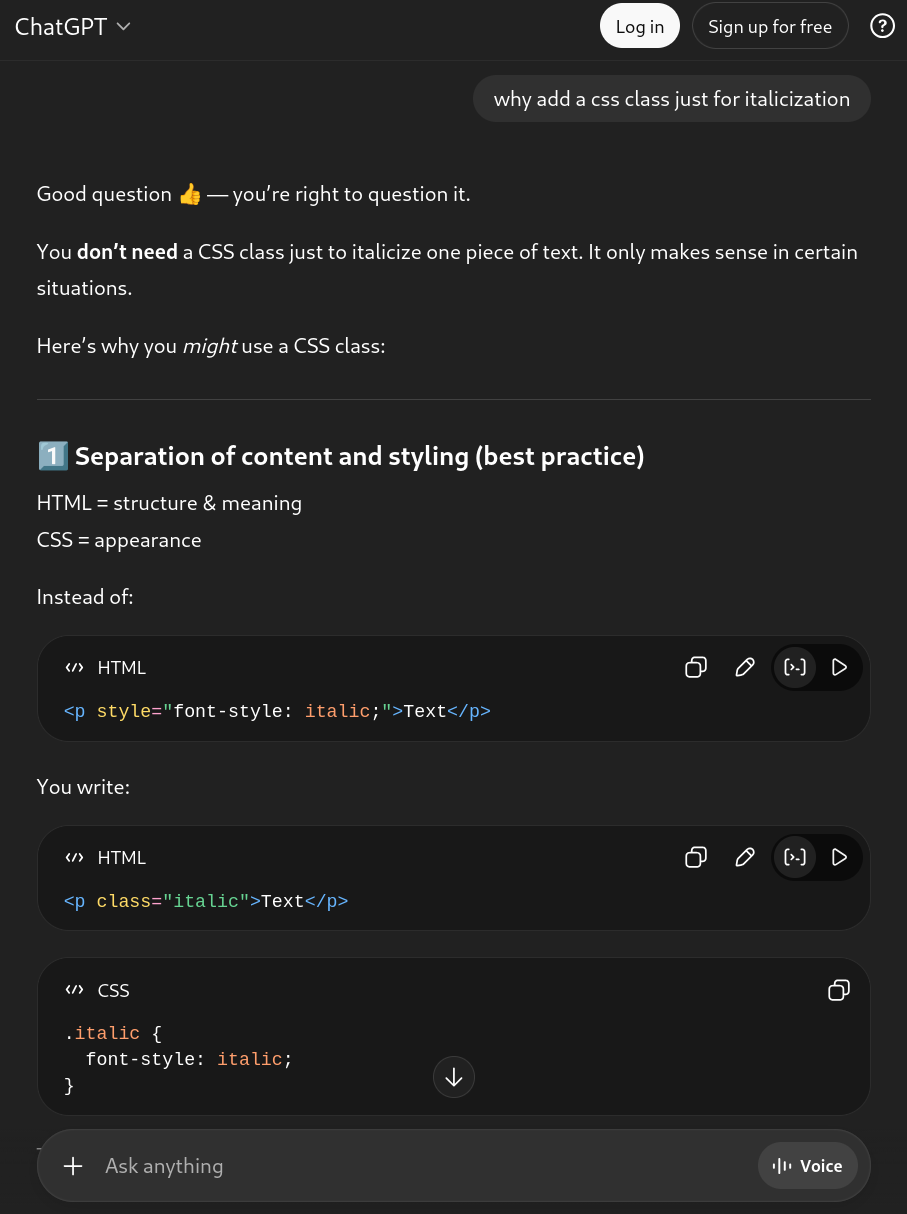
However I don't see how having an "italics" class accomplishes this, it just moves the styling elsewhere within the content. From this:
<p><i>Text</i></p>
To this:
<p class="italic">Text</p>
And takes up more space to boot. If we were to extend this idea then it would be "best practice" to put in many other classes:
<p class="italic bold underline small">Text</p>
All of which have pre-existing HTML tags, and does nothing to separate styling from content.
I was going to stop here but it suddenly occured to me to just put the entire critique in the boxed section above straight into ChatGPT, word-for-word. It gave the following response:
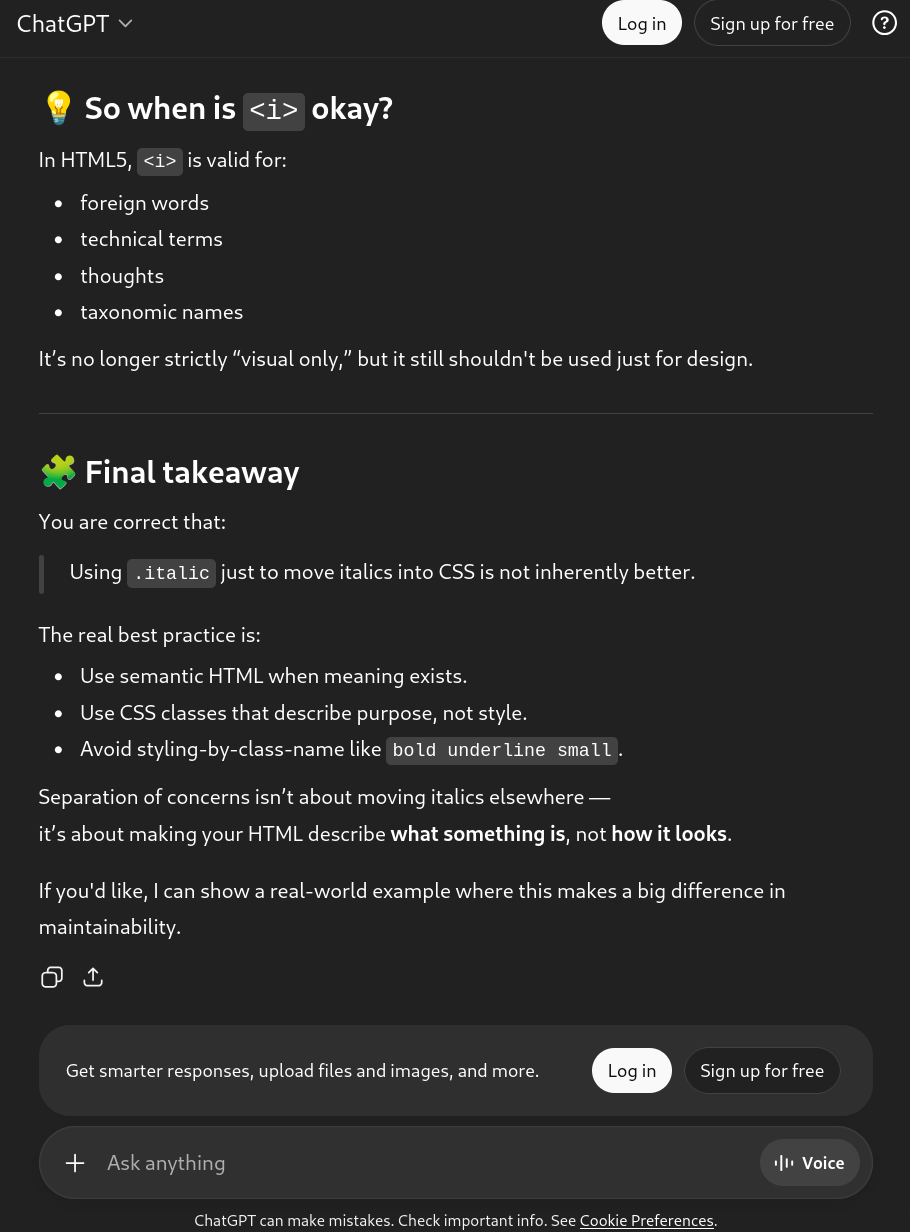
Are you kidding me.
"You are correct that: Using .italic just to
move italics into CSS is not inherently better." in direct
contradiction to its earlier claim that doing so was the
"best modern practice".
"The real best practice is: ... Use CSS classes that describe
purpose, not style." this is exactly the point that I raised
earlier, and again contradicts the italics CSS
class advice.
"Avoid styling-by-class-name like bold underline
small". It was clever enough to actually
remove italic from that list!
So with AI I would have reached the same conclusion as I did without it — if I was lucky. Now there's just more opportunity for confusion as it leads me down not-real best practices. To make matters worse I still don't know if this is the actually "real" best practice as it does not cite any sources. What if my suspicions about its advice affects my prompting, which causes ChatGPT to make up an answer accordingly? And if it did provide sources I would be in no different a position than without AI, I'd still be reading the documentation myself.
We must also consider the starting point of my chain of questions. I started with "how to italicize html", which is already a fairly specific question. What if I had started at a much higher level, maybe something like "Here's a blog post I've written, can you turn this into HTML: Lorem ipsum dolor... ...ex rutrum vel", would I have gotten to know about the details of HTML/CSS? If it just works (I tried it, and valid HTML is indeed produced), there would be no reason to dive deeper, and I can only see that road leading to an unmaintainable website once something inevitably breaks and the AI is unable to deal with it, or frustration when the AI cannot be prompted to produce the exact desired result. Yes, there's no guarantee that I can either, but I'll take my chances at reasoning about a website I built myself, rather than attempting to untangle the AI output once it's gotten to be unmanageable.
There's much more to explore here. I've only used the free version of ChatGPT for these tests, and no other companies' models were tested, so it's entirely possible that paid models do better. I'm also certain that the issue is not black-and-white, and that there exists some optimal level and method of AI usage to be found. The subject certainly warrants further investigation. Still, I suspect that AIs like ChatGPT are a great way to get things done if you already know what you're doing. One needs to have a good sense of what questions to ask and what answers seem dubious in that domain, otherwise it's too easy to get caught up in advice that seems sound at first glance. And I'm not sure if there's a path to that level other than by figuring out the hard things yourself.
Features
Things that I've implemented for this website. Nothing ground-breaking, just some things I was intentional about.
- Keep it simple: more of a guiding philosophy than a feature. In practice this means no JavaScript and using the minimum features necessary to achieve the desired result: a static webpage displaying images, videos, and text that also implements the handful of other desired features.
- Dark and light theme support: as someone who uses both, and knows people who use exclusively one, it was important that the site be comfortable in both. The background and font colours automatically respond to the theme (again, nothing new but I specifically made sure to do this) and most computer-generated graphics were created in light and dark versions, and are automatically selected based on the browser theme using media queries.
-
Low bandwidth: it would have been easy for
me to have just put full-resolution media everywhere
and call it a day, but I felt it would be irresponsible to
saddle the unsuspecting viewer with hundreds of
megabytes of network activity, not to mention the
bandwidth limits imposed by my hosting provider.
All auto-play videos (only present on the front page)
are under 1MB, with the front page requiring less
than 2MB of data in total when first visited. All
other videos have
preload="none"specified, instead using a pre-generated thumbnail to show the first frame so that it won't start loading the video until the user explicitly presses play (without a separate thumbnail image the browser would have to download the entire video just to display the first frame). Thus the reader does not download any large videos they are not interested in seeing.
Next Steps
Now that I have a good sense of the structure of the
website and what I want it to look like, I would consider
adding automation and templating in the future. Nothing too
fancy, but things like automatically generating the footers
would be a good first step. This blog post goes over
using make and Makefiles to generate posts, I
may start here.